自定义参数 在线编译预装软件的ImmortalWrt
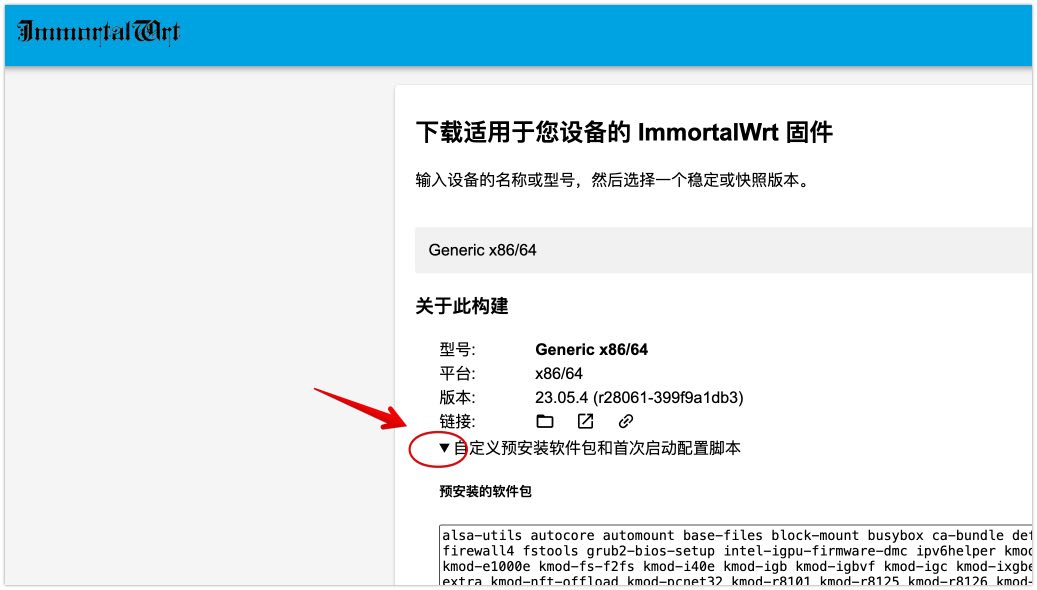
注意上方🔝截图,有一个展开的按钮。点击之后,就能自定义参数了。如下你可以 在预装软件中增加自己需要的app
luci-i18n-firewall-zh-cn luci-i18n-filebrowser-zh-cn luci-app-argon-config luci-i18n-argon-config-zh-cn luci-i18n-package-manager-zh-cn luci-i18n-ttyd-zh-cn luci-i18n-passwall-zh-cn luci-app-openclash luci-i18n-homeproxy-zh-cn openssh-sftp-server luci-app-attendedsysupgrade 上面⬆️的软件可以根据需求 自行添加,如果不知道软件名称 可以在仓库搜索和查询,点击下方直达仓库搜索
备注:如果你是编译luci 24的版本,上述代码中 要将
luci-i18n-opkg-zh-cn替换为luci-i18n-package-manager-zh-cn因为新版本里它的名称发生变化。
首次启动时运行的脚本(uci-defaults)增加
# 设置默认wan口防火墙打开 方便虚拟机用户首次访问webui
uci set firewall.@zone[1].input='ACCEPT'
uci commit firewall
# 设置主机名映射 解决安卓原生TV首次连不上网的问题
uci add dhcp domain
uci set "dhcp.@domain[-1].name=time.android.com"
uci set "dhcp.@domain[-1].ip=203.107.6.88"
uci commit dhcp
# 根据网卡数量配置网络
count=0
for iface in $(ls /sys/class/net | grep -v lo); do
  # 检查是否有对应的设备,并且排除无线网卡
  if [ -e /sys/class/net/$iface/device ] && [[ $iface == eth* || $iface == en* ]]; then
    count=$((count + 1))
  fi
done
if [ "$count" -eq 1 ]; then
    # 单个网卡,设置为 DHCP 模式
    uci set network.lan.proto='dhcp'
    uci commit network
elif [ "$count" -gt 1 ]; then
    # 多个网卡,保持静态 IP
    uci set network.lan.ipaddr='192.168.100.1'
    uci commit network
fi
在线构建固件
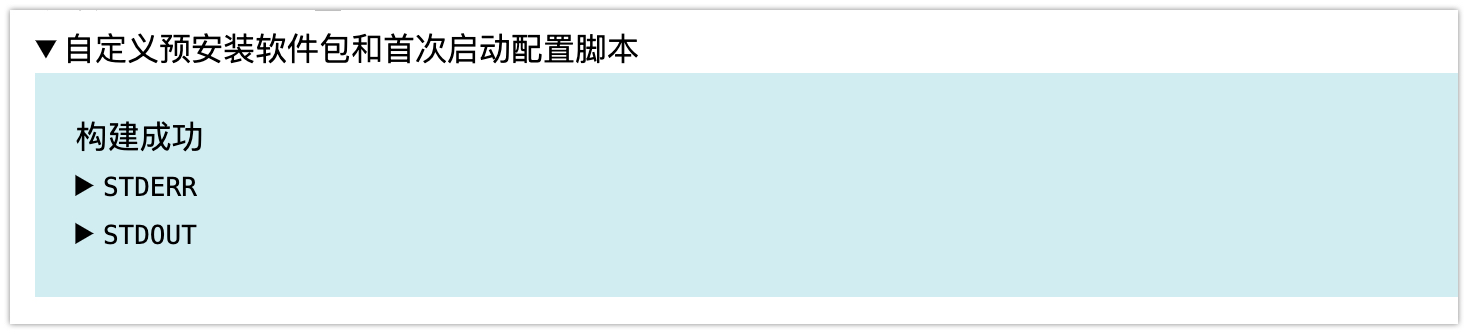
都填写完成后,点击 【请求构建】就开始在线编译了。编译完成后下载即可
借助iStoreOS环境给我们下载的固件img扩容(其他linux也行)
我推荐使用iStoreOS系统来处理这个img镜像。因为其他OpenWrt可能没有大的空间来处理。
如果你想使用其他openwrt来处理,并且保证你有大于2GB以上的空间,也不是不行,需要额外安装2个组件
opkg update
opkg install parted
opkg install openssh-sftp-server
如果想增加2GB空间 则可用如下方法设置,遇到提示就按照要求输入Fix 和 OK
# 解压缩镜像文件
gzip -kd immortalwrt.img.gz
# 给img镜像末尾填充2GB空数据 (count=2000 表示增加 2GB 的空间)
dd if=/dev/zero bs=1M count=2000 >> immortalwrt.img


# 为了将2GB空间真正赋予具体的分区,使用分区工具parted操作镜像。
parted immortalwrt.img


# 查看分区情况
print
# 调整分区大小 (将第 2 个分区扩展至镜像文件的 100%)
resizepart 2 100%
# 查看是否扩展成功
print
# 退出分区工具
quit
更换软件源(可选 非必需)
sed -e 's,https://downloads.immortalwrt.org,https://mirrors.cernet.edu.cn/immortalwrt,g' \
    -e 's,https://mirrors.vsean.net/openwrt,https://mirrors.cernet.edu.cn/immortalwrt,g' \
    -i.bak /etc/opkg/distfeeds.conf
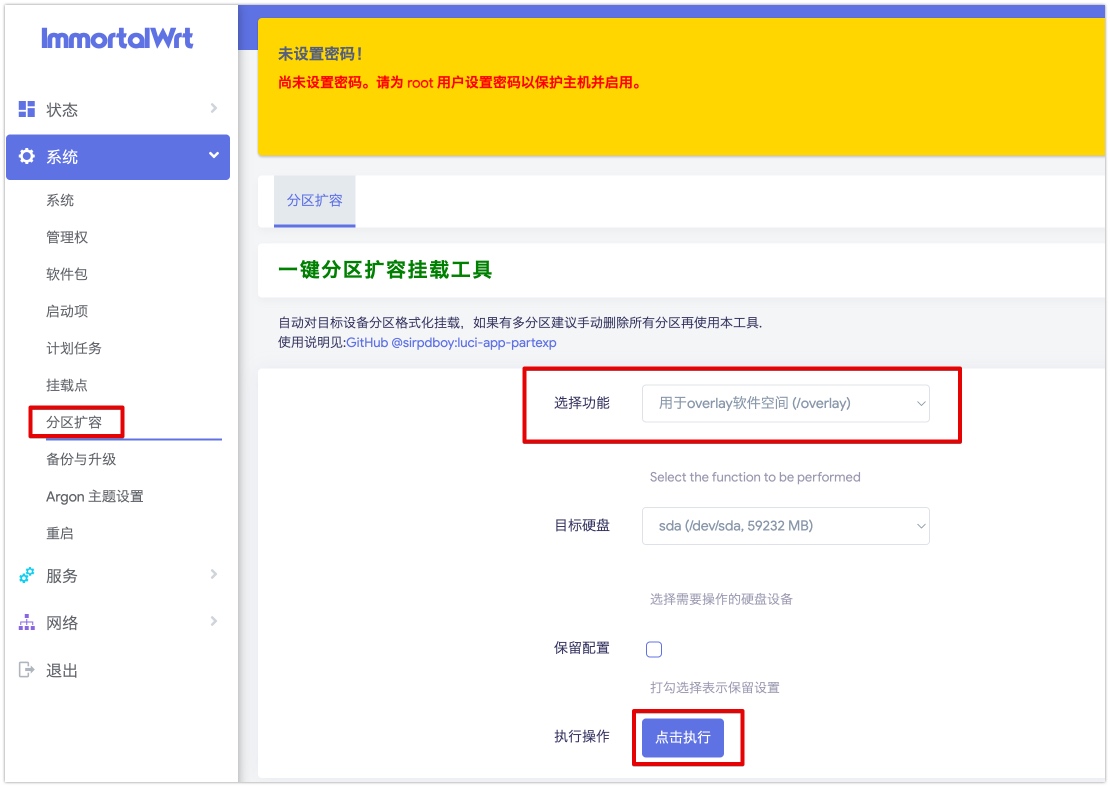
运行时扩容(luci-app-partexp)
sirpdboy 的项目源码⬇️⬇️⬇️
利用sirpdboy 的项目源码+kiddin9编译的ipk,我们可以一键安装分区扩容app
一键安装 分区扩容 app
# 一键安装 sirpdboy分区扩容 app
wget -O install.sh https://cafe.cpolar.top/wkdaily/OneKeyExpand/raw/branch/main/install.sh && chmod +x install.sh && ./install.sh

# 如果上述代码访问不到。可直接复制下面的内容。
opkg update
wget https://cafe.cpolar.top/wkdaily/OneKeyExpand/raw/branch/main/luci-app-partexp_all.ipk
opkg install luci-app-partexp_all.ipk 2>/dev/null
echo "安装成功"